IT and Server Room Relocation Dubai UAE — eOffice Movers
 IT Relocation Specialists
Dubai & UAE

IT & Server Room
Relocation in Dubai

Cable Documentation Every connection mapped before disconnection
ESD-Safe Packing Anti-static materials as standard
Climate-Controlled Transport Not standard trucks in UAE summer heat
Verified Sign-Off Systems tested before completion

Cable Documentation, ESD-Safe Transport, and Verified Systems Before Sign-Off Across Dubai and the UAE

Every Dubai office move has an IT problem waiting to happen. Not usually damaged servers — the reconnection. Unlabeled cables at the patch panel. A rack configuration nobody photographed. A SAN that won't initialise because the fibre channels went back in the wrong sequence.

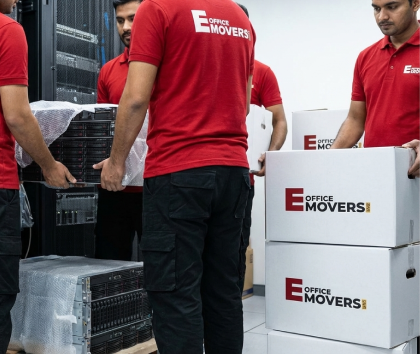
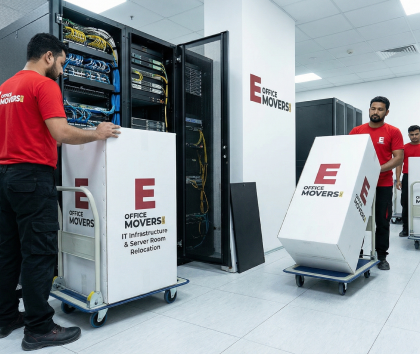
eOfficeMover UAE handles IT and server room relocation as a two-layer operation — physical logistics and documentation. Cable map before disconnection. ESD-safe packing. Climate-controlled transport. Verified systems before sign-off.

Get in Touch

Request an IT Relocation Survey — Free & No Obligation

Call Directly
+971 56 223 3079

Available Sunday to Thursday, 8AM–7PM. Friday by arrangement.

Call Now
WhatsApp — Immediate Response
+971562233079

Send your office address, workstation count, and move date for a fast response.

WhatsApp Us
Email — Detailed Enquiries
info@eofficemoversuae.com

For RFQs, IT scope documents, and detailed project briefs.

Send Email

The Survey is Free. The Quote is Binding.

No phone estimates. Everything that follows the survey is based on what was seen at both sites.

Both premises surveyed — origin and destination
IT scope reviewed on-site before the cable map
Free zone documentation identified at survey stage
Written quote produced — price doesn't change on move day

Request an IT Relocation Survey

We'll confirm a survey date within one business day.

No Obligation


    IT Services

    What types of IT and infrastructure moves does eOfficeMover UAE handle?
    Workstation and desktop IT relocation Dubai 01
    Workstation Relocation

    Workstation and desktop IT relocation

    Computers, monitors, keyboards, VoIP desk phones, docking stations, UPS units, and associated accessories across all workstations in the office. Each workstation travels as a labeled set — monitor, CPU, peripherals, and cables together — so reinstallation at the new location assigns each employee's exact setup to their assigned desk position.

    Not just packing computers in bubble wrap. Photographing the back of each workstation before disconnection, labeling every cable, bagging and attaching the cable set to the device, and mapping each workstation to a desk reference number on the destination floor plan.
    Server Room Migration

    Server room migration

    The most technically demanding part of any office move. Server rooms contain equipment where incorrect reconnection isn't just an inconvenience — it can cause data corruption, RAID array failure, and service outages that take days rather than hours to resolve.
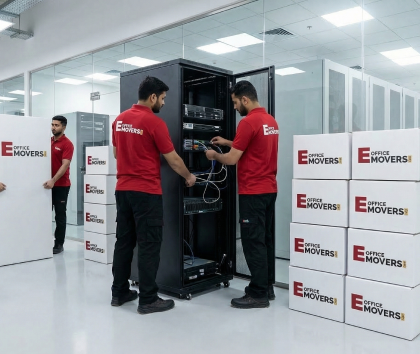
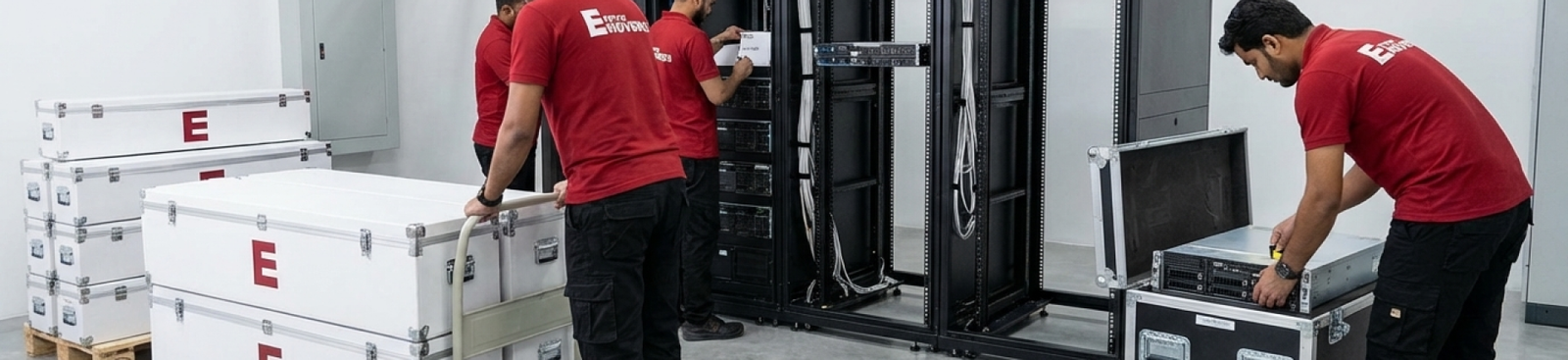
    Full migrations include: pre-move documentation session, rack configuration photographing, cable map production, de-racking or rack-stay decision per equipment type and distance, ESD-safe packing, climate-controlled transport, re-racking in correct sequence, physical reconnection from the cable map, and post-move systems verification before sign-off.
    Server room migration Dubai UAE 02
    Network infrastructure relocation UAE 03
    Network Infrastructure

    Network infrastructure relocation

    Switches, routers, firewalls, patch panels, fibre channel connections, and structured cabling equipment. Network infrastructure is the layer that everything else depends on — a switch reinstalled in the wrong rack position or a fibre channel connected to the wrong port takes the entire network down while it's debugged.

    Network infrastructure travels only after its configuration has been fully documented: which cable connects to which port on which device, in which rack position, with which VLAN assignment. The cable map for network infrastructure is typically more complex than for servers — it's also what allows the network engineer to validate connectivity systematically.
    Power Infrastructure

    UPS (Uninterruptible Power Supply) systems

    UPS units are heavy, contain large battery arrays, and require specific handling. Standard UPS batteries are sealed lead-acid and can be transported. But UPS units with swollen, damaged, or end-of-life batteries require separate handling and cannot be loaded alongside other equipment — damaged lead-acid batteries present a hazard during transport.
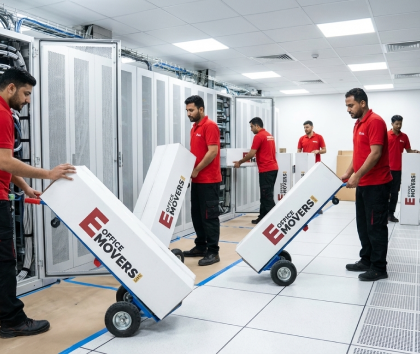
    Every UPS unit is assessed at the survey stage. Battery condition is confirmed before the move plan is finalised. Units requiring battery replacement before transport are flagged — not discovered when the crew arrives on move day.
    UPS uninterruptible power supply relocation Dubai 04
    AV and conferencing infrastructure relocation Dubai 05
    AV & Conferencing

    AV and conferencing infrastructure relocation

    Video conferencing systems, smart boards, digital signage, projection systems, ceiling-mounted AV equipment, and conference room integrated controls. These systems involve ceiling or wall mounting, structured cabling to AV controllers, and configuration that must be documented before disassembly.

    Ceiling-mounted systems require appropriate lifting equipment and ceiling surface protection at both origin and destination. Configuration is documented before disassembly — not reconstructed from memory at the destination.
    Telecoms & PABX

    Telecoms and PABX relocation

    PABX systems, telephone exchanges, VoIP gateways, and associated wiring infrastructure. PABX configurations require documentation of extension mapping, trunk lines, and trunk group assignments before the system is powered down.

    This is coordinated with the client's telecoms provider or IT team — eOfficeMover UAE provides the physical relocation and reconnection from the documented configuration; the telecoms provider handles any line reactivation at the new premises.
    Telecoms PABX relocation Dubai UAE 06
    IT Risk Factors

    What makes IT relocation different from general office moving?

    Three specific risks that standard moving approaches don't address.

    Risk 01
    ESD —
    Electrostatic
    Discharge
    Invisible Risk

    ESD — electrostatic discharge

    Static electricity is invisible, unfelt, and can permanently damage electronic components without any outward sign of the damage. A server motherboard that was exposed to an electrostatic discharge event during packing may still power on and appear to function normally — and then fail in the weeks after the move as the latent damage develops.

    ESD-safe materials are not optional for IT relocation. Every server, every network card, every storage device, every component removed from a rack travels in anti-static packaging — anti-static bubble wrap, anti-static bags, and foam inserts that prevent the buildup and discharge of static electricity.

    Items are handled with ground straps where appropriate. This is standard practice on every eOfficeMover UAE IT migration, not a premium add-on.

    Risk 02
    UAE Summer
    Temperatures
    in Transport
    May – October

    UAE summer temperatures in transport

    A standard moving truck with a closed cargo area in UAE summer reaches 50°C or above when parked or in slow traffic. Hard drives and solid-state storage devices have manufacturer-specified operating and non-operating temperature ranges — most non-operating maximums are in the 60 to 70°C range, but extended exposure to 50°C+ in an unventilated cargo area creates thermal stress that shortens component life and can cause immediate failure in sensitive equipment.

    IT equipment travels in a climate-controlled vehicle in which the cargo temperature is maintained at an appropriate level throughout transit. This applies from May through October as standard, and for particularly sensitive equipment (high-density storage arrays, blade servers) year-round.

    Risk 03
    Vibration
    and Shock
    on UAE Roads
    RAID / HDD Risk

    Vibration and shock on UAE roads

    UAE roads are generally good, but they include speed bumps, lane merges, and road surface transitions that create sudden shock inputs. Hard drives — particularly spinning-disk drives in older servers and NAS arrays — are sensitive to vibration and shock. A drive that was in a degraded RAID state before the move may fail completely from the physical shock of a speed bump at the wrong moment.

    Server racks and rack-mounted equipment travel either intact (rack-stay, with equipment secured within the rack and the rack secured within the vehicle) or de-racked (equipment individually packed and shipped separately). The rack-stay vs de-rack decision depends on the distance, road route, and equipment type — not on what's more convenient for the loading crew.

    This decision is made at the survey, not improvised at loading.

    Complete Service

    What does a full IT relocation service include?

    Seven integrated components — from infrastructure audit through to post-move systems verification.

    01

    Pre-move IT infrastructure audit

    The IT environment at the origin is assessed before any move plan is finalised. The audit covers:

    • Complete asset inventory — every server, switch, router, firewall, UPS, patch panel, AV system, and peripheral
    • Rack configuration documentation — what equipment is in which rack, in which unit position
    • Network dependency mapping — which systems depend on which other systems, in what order they must be powered down and restored
    • Cable census — how many cables, what types (Cat6, fibre, coax, power), approximate volumes
    • UPS battery condition assessment
    • Any equipment that requires de-commissioning rather than relocation (end-of-life, damaged, or superseded hardware)
    • Access and clearance conditions at origin and destination server rooms (door widths, floor loading, cooling infrastructure)

    This audit informs the cable documentation session, the packing materials order, the vehicle specification, and the destination re-racking sequence.

    02

    Cable documentation — the session that makes reconnection reliable

    This is the stage that separates a professional IT migration from a move where the IT team spends Sunday debugging.

    Before any cable is disconnected:

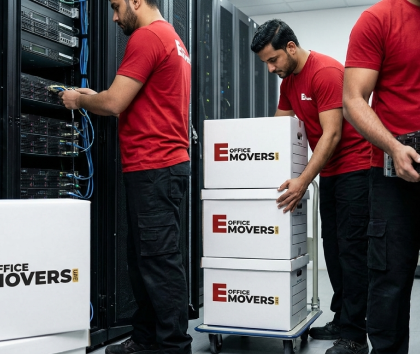
    • Every cable at every connection point — servers, switches, patch panels, routers, firewalls, storage arrays, and workstations — is photographed at both ends
    • Each cable is labeled with a unique alphanumeric reference number at both ends
    • Patch panel port assignments are photographed and recorded in a matrix
    • Rack unit positions for each piece of equipment are photographed and mapped

    A cable reference map is produced: a document showing which cable number connects which device port to which destination port, at which rack position.

    This map is what the IT team uses at the destination to reconnect the infrastructure. The difference in reconnection time is significant. A 30-workstation office with a standard server room has several hundred individual cable connections.

    With cable reference map

    Reconnection takes under two hours. Every connection verified against documentation.

    Without documentation

    Reconnecting from memory takes most of a day — and carries the risk of incorrect connections that only show up under production load.

    03

    Data backup — responsibility and timing

    Data backup before an IT migration is the responsibility of the client's IT team or managed service provider — not the physical relocation company. eOfficeMover UAE does not perform data backup operations.

    What we do: we do not allow physical packing of any server or storage device to begin until the client's IT team has confirmed in writing that all critical data backups are complete and verified. This confirmation is documented in the move file. If the IT team has not confirmed backup completion, the packing sequence for servers and storage does not start.

    This is the correct division of responsibility. The people who know the data architecture, the backup systems, and the recovery procedures are the client's IT team. The people who know how to physically migrate the hardware safely are us. Both responsibilities must be fulfilled before the equipment moves.

    04

    ESD-safe packing — by equipment type

    Servers (rack-mounted)
    • Anti-static bubble wrap for individual units where de-racked
    • Anti-static foam inserts for blade servers
    • Custom foam-lined crates for high-density equipment
    • Drive trays wrapped individually in anti-static bags before the server chassis is wrapped
    Network equipment (switches, routers, firewalls)
    • Anti-static bubble wrap and sealed anti-static bags
    • Equipment stacked with foam separators in climate-appropriate cartons
    Storage arrays (NAS, SAN)
    • Individual anti-static bags for drive trays where accessible
    • Array chassis wrapped in anti-static material
    • Custom crating for high-value enterprise storage
    UPS units
    • Standard units with confirmed healthy batteries transported upright in reinforced cartons
    • Units with damaged batteries handled under separate protocol
    Workstations and desktops
    • Anti-static bags for open-frame components
    • Original manufacturer packaging used where available
    • Foam-padded cartons otherwise
    Monitors and screens
    • Corner-protected foam packaging
    • Stacked face-to-face with interleaving foam
    • Not loaded under other cartons
    Peripheral equipment (keyboards, mice, VoIP phones)
    • Bagged and labeled with the corresponding workstation reference
    • Stays physically with the workstation set throughout transport
    05

    Climate-controlled transport

    IT equipment travels in a vehicle where the cargo temperature is controlled and monitored. In UAE summer conditions, this is not optional — it's the physical requirement for transporting equipment whose manufacturer specifications include non-operating temperature limits that a standard closed truck can exceed.

    Vehicle specification is determined at the survey based on the volume and type of equipment. Fragile, high-value equipment (blade servers, enterprise storage, high-end network hardware) may travel in a separate climate-controlled consignment from general office furniture.

    06

    Destination re-racking and reconnection

    At the destination server room, reinstallation follows the documented sequence from the pre-move audit. Equipment goes back into racks in the correct unit positions. Re-racking sequence follows the network dependency map — equipment that other systems depend on is racked and powered first.

    Cable reconnection uses the cable reference map. Every cable is connected as documented. Patch panel assignments are verified against the pre-move photography. No connection is made from memory or assumption.

    07

    Post-move systems verification

    Before the IT relocation team signs off, the following verification steps are completed:

    Network connectivity confirmed from at least a representative sample of workstations
    Server connectivity verified from the network
    RAID array integrity confirmed on all storage systems
    UPS power-on test at the destination
    VoIP system connectivity confirmed
    Internet access verified from the destination network
    Any AV or conferencing systems tested through a full call cycle

    If any system fails verification, the issue is identified and addressed before sign-off. The move is not complete until the systems pass verification.

    The Technical Process

    How does the IT relocation process work?

    Audit & Planning Phase

    Step 1
    IT Infrastructure Audit

    Both server rooms are assessed for asset inventory, rack configuration, cable census, and UPS battery condition. We review the network dependency map with your IT team to identify critical paths.

    01
    02

    Step 2
    Technical Move Plan

    A written plan covering the cable documentation schedule, ESD-safe packing lists, rack-stay vs. de-rack decisions, and the re-racking sequence. This is aligned with your overall office move window.

    Step 3
    Backup Confirmation

    The client IT team confirms and documents that all backups are complete and verified. This critical safety gate must be cleared and documented before any packing begins.

    03
    04

    Step 4
    Cable Documentation

    Photography and labeling of every cable at every connection point. A comprehensive cable reference map is produced and shared with the client IT team for transparency.

    Decommission & Pack

    Step 5
    Controlled Shutdown

    Your IT team manages the shutdown sequence in dependency order. Our team is on-site to begin packing immediately as each system is safely powered down.

    05
    06

    Step 6
    ESD-Safe Packing

    Equipment is packed using anti-static materials specified in the move plan. Each item is labeled with its specific rack position reference to ensure an identical rebuild.

    Step 7
    Controlled Transport

    Loading follows a reverse-unloading sequence in climate-controlled vehicles. GPS tracking is active throughout the journey to the destination premises.

    07
    Rebuild & Verify
    08

    Step 8
    Destination Re-Racking

    Unloading and racking follows the documented dependency order: critical network infrastructure first, followed by servers, then user workstations.

    Step 9
    Cable Reconnection

    Every single cable is reconnected using the reference map produced in Step 4. We never rely on memory or assumptions for technical connectivity.

    09
    10
    Connectivity Live

    Step 10 — Systems Verification. Fully Operational.

    Network, server, storage, and VoIP verification is completed. Sign-off only occurs once a representative sample confirms a verified working environment.

    Book IT Relocation Audit
    Equipment Scope

    What IT equipment does eOfficeMover UAE handle?

    All standard corporate IT infrastructure — and a clear position on equipment that requires individual assessment before a move plan is confirmed.

    All standard corporate IT infrastructure

    Rack-mounted servers

    1U, 2U, 4U, blade chassis

    NAS and SAN

    Network-attached storage and storage area networks

    Routers, firewalls and switches

    Core and access-layer switches

    Patch panels and structured cabling

    Full cabling infrastructure

    UPS systems

    Standard lead-acid battery units

    PABX and VoIP telephony

    Phone systems and handsets

    Desktop workstations

    All-in-one PCs, laptop docking stations

    Monitors and display screens

    All sizes and form factors

    Peripherals

    Keyboards, mice, VoIP desk phones, webcams, headsets

    Printers and multifunction devices

    Including scanners

    Video conferencing systems

    Cisco, Poly, Logitech, and others

    Smart boards and interactive displays

    All major brands

    Projectors

    Ceiling-mounted and portable

    Digital signage

    Controllers and displays

    KVM switches

    And console access equipment

    Items requiring separate assessment or specialist coordination These items are handled — but the move plan is confirmed at survey, not assumed
    Equipment with damaged or swollen UPS batteries Separate handling protocol applies. Standard upright transport carton is not used for units with compromised battery condition.
    Data centre-scale equipment High-density blade chassis, enterprise fabric switches — assessed individually at survey. Vehicle specification, crating, and handling sequence confirmed before booking.
    Medical or specialist industrial control equipment Transport compliance per equipment type. Regulatory and manufacturer requirements identified at survey and coordinated with the client's technical team before the move.
    Technical Pricing

    How much does IT relocation cost in the UAE?

    IT relocation costs depend on the volume and complexity of the infrastructure, not on the number of rooms or floor area. These are indicative starting ranges — the accurate quote follows a detailed IT infrastructure audit.

    Small Office IT
    Up to 15 Workstations
    AED 3,000 – 6,000 / move

    Includes cable documentation, ESD-safe packing, and climate-controlled transport (no dedicated server room).

    Standard Server Room
    Medium Office
    15 to 50 Workstations
    AED 8,000 – 20,000 / move

    Covers 1–2 server racks, rack density, storage complexity, and network infrastructure volume.

    Large / Data Centre
    High Density Infrastructure
    AED 25,000+ Starting

    Based on rack count, equipment density, dependency complexity, and verification scope.

    Key IT Cost Drivers

    Number of server racks and rack density
    Number of individual network devices and patch points
    Storage array complexity (RAID, Fibre Channel, iSCSI)
    UPS unit count and battery condition assessment
    AV and conferencing system integration scope
    De-racking requirements vs viable rack-stay transport
    Verification scope and post-move IT support hours

    Technical relocation requires precise auditing. The IT infrastructure survey is free. The quote from the survey is binding.

    Book IT Infrastructure Audit
    Why Choose Us

    Why choose eOfficeMover UAE for IT relocation?

    Cable documentation is not optional.

    It happens before anything is disconnected, every time. The cable reference map is produced before the first server is powered down. Reconnection at the destination uses the map — not memory.

    ESD-safe materials are standard.

    Anti-static packaging for every piece of electronic equipment, from servers to desk phones. This is a standard safety requirement for us, not a premium add-on.

    Climate-controlled transport for IT.

    We don't use standard moving trucks for hardware. We provide a controlled environment for equipment to ensure the UAE summer heat never breaches manufacturer specifications.

    UPS battery assessment at survey.

    Our technical audit includes a battery health check. Damaged or leaking batteries are identified early and never loaded alongside sensitive equipment on move day.

    Post-move verification before sign-off.

    The move isn't complete when the last cable is plugged in. It’s done when the network is live, storage arrays are verified, and connectivity is confirmed across workstations.

    Clear division of responsibility.

    Roles for both the client IT team and eOfficeMover UAE are documented in the move plan. No one discovers on Saturday night that they missed a critical task.
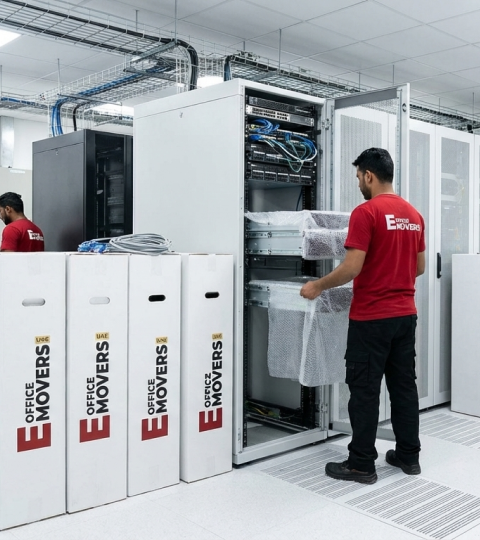
    eOffice Movers UAE — IT Relocation Specialists IT & Server Experts
    Technical Relocation Team Certified for Server & Data Center Migration
    IT RELOCATION

    Frequently Asked Questions
    IT & Server Room Relocation UAE

    01 What is ESD and why does it matter for server moves?

    ESD (electrostatic discharge) is the sudden transfer of static electricity between two objects. For electronic components, a discharge that a person doesn't even feel can permanently damage a server motherboard or storage controller—sometimes as a latent failure that develops weeks later. Anti-static packing materials prevent static build-up during transport. This is why ESD-safe packaging is mandatory for IT equipment moves, not a premium option.

    02 Do you back up data before migrating the servers?

    Data backup is the responsibility of the client's IT team or managed service provider. eOfficeMover UAE does not perform data backup operations. We require written confirmation from the client's IT team that all critical data backups are complete and verified before packing of any server or storage device begins. Packing doesn't start until this confirmation is documented and received.

    03 Should servers travel in the rack or de-racked?

    This depends on distance, road conditions, and equipment type. For short moves on smooth roads, rack-stay can be appropriate for standard servers. For longer distances, routes with speed bumps, or sensitive storage arrays, de-racking and individual packing is the safer approach. This decision is made during the IT infrastructure audit—not improvised on loading day.

    04 What happens if a system doesn't pass post-move verification?

    The issue is identified and addressed before sign-off. Common issues like cabling mismatches are resolved from the reference map, while software services or IP updates are handled by the client's IT team. The verification stage exists specifically to catch these issues while the move team is still on-site, ensuring you are fully operational by Sunday morning.

    05 How long does an IT relocation take?

    A small office (15 workstations) typically takes 3 to 5 hours. A medium server room (2 racks, 30 workstations) usually takes 8 to 12 hours. Large migrations may run across multiple sessions. Cable documentation is performed the day before the move to streamline the process. All timelines are confirmed in the written move plan after your IT audit.

    06 Can we work with our managed service provider or IT team?

    Yes—and this is preferred. Documentation is most effective when your IT team confirms accuracy and flags non-standard configurations. Post-move verification is also more efficient when your team runs application-level tests alongside our connectivity checks. The move plan defines each party's role so both teams are coordinated from the start.

    07 Do you handle AV and conferencing systems?

    Yes. Video conferencing systems, smart boards, digital signage, and conference room integrated controls are included. Ceiling-mounted systems require specific lifting equipment and surface protection, which we assess during the survey. All AV configurations are fully documented before disassembly.

    08 Do you cover IT relocation across all UAE emirates?

    Yes. We handle IT and server room relocations across Dubai, Abu Dhabi, Sharjah, Ajman, Ras Al Khaimah, Fujairah, and Umm Al Quwain, including all free zones. Cross-emirate moves follow the same rigorous ESD-safe packing and climate-controlled transport standards as same-city migrations.

    Have a technical question not listed here? Book a free IT infrastructure survey — our experts will review your server room and networking scope in detail.

    Book IT Survey